
3. DIY or buy a Turn Key Solution
A significant choice you are about to make involves evaluating the pros and cons of everything—yes, everything. Let’s examine the benefits and drawbacks.
DIY – When you decide to build it yourself, you are in charge of pretty much everything, from hardware to software. By choosing and selecting your hardware, you usually get more powerful components and greater options, giving you the freedom to do so much more. For example, take a look online at what you can find. Consider a new turnkey solution like the Synology DS925+. It boasts impressive performance with its AMD Ryzen V1500B processor; then compare it to the Intel N100 or N150, which are mostly used in DIY builds (https://www.cpu-monkey.com/en/comparecpu-intelprocessorn150-vs-amdryzenembeddedv1500b). There’s a significant difference: the Intel N150 is at the low end of NAS builds these days but offers great performance and low power consumption.
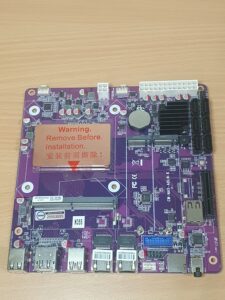
When you opt for a turnkey solution, you’re typically investing in a small form factor device—essentially a compact computer—where the software is custom-engineered and tailor-made for that specific product. Of course, Synology remains the gold standard if you’re looking to purchase a Network Attached Storage (NAS) unit right off the shelf. However, brands like Orico are becoming compelling alternatives. They have a new NAS coming out, which I believe is based on the N100 chip. Honestly, if I were buying an off-the-shelf unit today, I’d lean toward that option because it offers the flexibility to run whatever software I choose.
Ultimately, there are countless pros and cons in this decision; you will inevitably compromise on some feature, no matter which route you take.
With turnkey brands, you pay a premium for the software, support, and the peace of mind that your data will be reasonably secure. Conversely, with a DIY solution, nearly all your hard-earned cash goes directly into the hardware, giving you the freedom to manage your data exactly the way you want
One thing people often overlook is redundancy. If one or two HDDs fail then have you lost your data forever? There are different methods available from all the different Nas softwares you can use but at the end of the day there is no substitute for backups. Follow the 1 2 3 backup rule.
- Copy 1 (Primary Data): Your active files on your main NAS.
- Copy 2 (Local Backup): Backing up your NAS to an attached external USB hard drive or a secondary NAS unit.
- Copy 3 (Off-Site Backup): Backing up your NAS to a secure cloud service.
This strategy ensures that even if your house burns down, or your NAS is encrypted by ransomware, you still have an untouched copy of your critical data stored safely elsewhere. This is where the hardcore NAS enthusiasts and data-hoarders thrive, “Just make another NAS for backups!!”.
I was initially leaning heavily toward purchasing a pre-built, off-the-shelf system. My next idea was to source an older turn key case and simply drop my own hardware into it. While technically possible, the required time and effort far outweighed the potential benefits. Ultimately, the best path is a DIY build using fully compatible components.
The other thing to consider is what you actually want to do with your NAS. Home automation is also very popular and I may consider it in the future as well. Your hardware will require specifics. Intel CPUs are brilliant at transcoding if you wish to run a media player as well, AMD falls short in that area but can do it, just in their own way. I was a huge AMD fan for gaming PCs until the days of NAS, now for me its Intel or nothing.
With DIY you can build as large as you want, the only limit is money. If I owned a business and just needed storage and file sharing I wouldn’t hesitate in a turn key solution. Great brands are Synology, Terramaster, Ugreen, Orico just to name a few.. All unique to their own potential and usability.
This should be enough to get you interested in researching.
To DIY, or NOT to DIY. That is the question.
I’ll keep you posted on DIY choices next.