
11. Assembly of the NAS – Pt1
Radiator
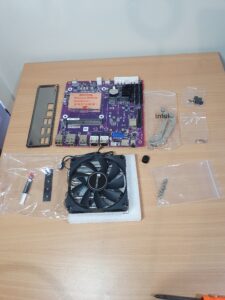
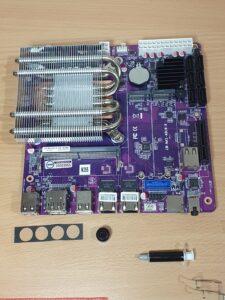
Before starting the build, I laid out all the components to visualise how everything would fit together and to avoid any surprises during assembly. According to the Jonsbo N2 manual, the power supply should be installed first, and this makes sense—the PSU cables need to be routed upward through the side cut-out in the case, and installing it later becomes much more difficult.
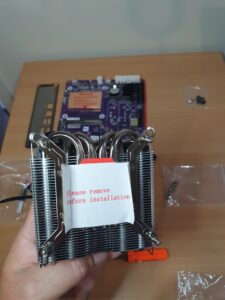
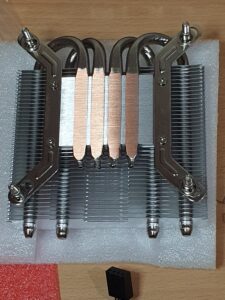
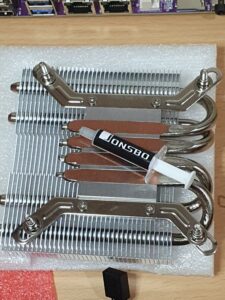
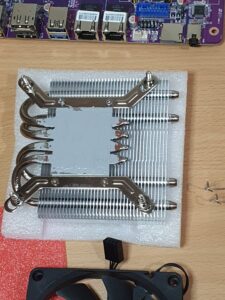
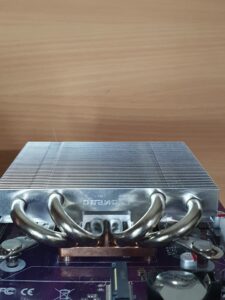
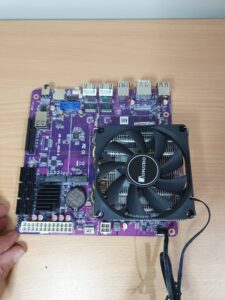
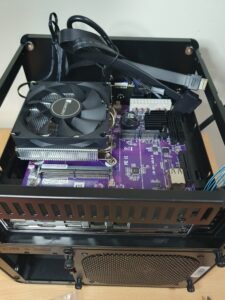
I began with the motherboard assembly, paying careful attention to the CPU radiator and mounting hardware. It became clear that the radiator can only be mounted in one correct orientation; if the brackets are reversed or rotated incorrectly, they will rest against the motherboard’s heatsinks and surrounding components. This would prevent the cooler from sitting flat and making proper thermal contact. Rotating the heat pipes so that they face toward the center of the motherboard provided the correct clearance.
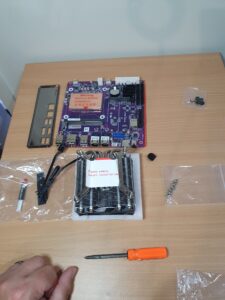
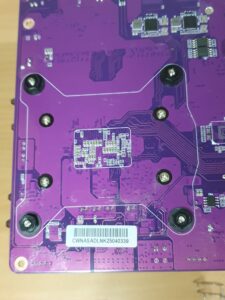
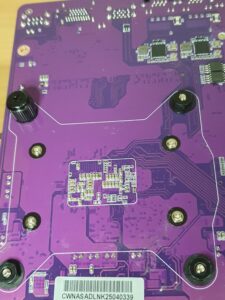
Next, I installed the radiator mounting brackets. The bracket screws pass through the holes in the motherboard, and the retention nuts are tightened from the underside. After that, I applied the supplied thermal paste. The small tube was just enough to cover the CPU contact area, and I spread it evenly using a firm, thin piece of plastic to ensure a smooth layer.
With everything prepared, I carefully lowered the radiator onto the copper heatsink base, making sure it did not shift sideways. I then installed the retention nuts on the back of the board and used the included tightening tool (a small socket attachment that fits onto a screwdriver) to secure them. As I tightened the nuts, I noticed the motherboard beginning to flex slightly, so I backed them off just enough to relieve the pressure while still maintaining solid mounting tension.
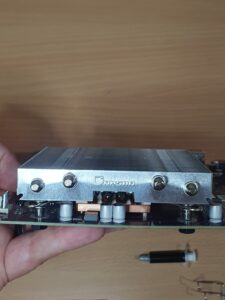
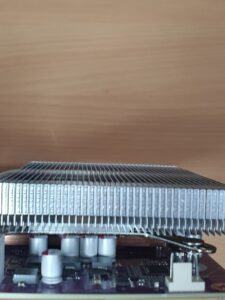
Clearance between the radiator and several motherboard components is extremely tight, as shown in the photos below. Finally, the cooling fan clips onto the radiator using the two wire retention clips—one on each side.
Sata cables and Motherboard install
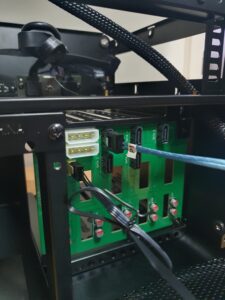
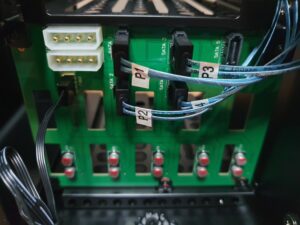
Next, I installed the Mini-SAS SFF-8087 to SATA breakout cables onto the SATA backplane of the Jonsbo N2 case. Each port on the breakout cable was connected in order, P1 to SATA port 1, P2 to port 2, and so on to keep the drive order consistent. In the photo, you can also see the rear fan connector located just beneath the two Molex power inputs on the sata backplane.
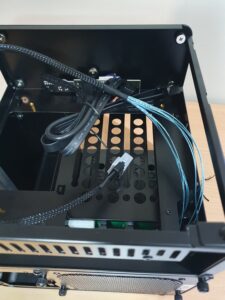
These cables were routed to the opposite side of the case, away from the power supply area, because that’s where the motherboard’s SATA connectors are located. It’s also where the PCIe slot sits, which will later hold the LSI 9207-8i SAS 2.1 HBA card.
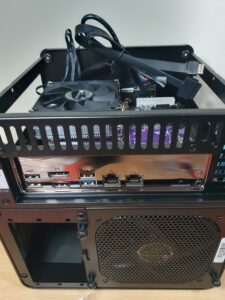
Before installing the motherboard, I pressed the rear I/O shield into the back of the case, making sure all cutouts aligned correctly. The shield required quite a bit of pressure to seat properly, and I found it best to work slowly around the edges to avoid bending or warping the panel.
With the I/O shield seated, I positioned the motherboard inside the case, ensuring it aligned with the standoffs and the rear I/O opening. The included screws were then inserted, starting with the four corners to secure the board firmly in place.
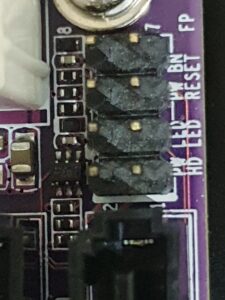
Next, I connected the front panel cables from the case to the motherboard. These included:
- USB 2.0 header
- Power button
- Power LED
- HDD activity LED
All of these connectors matched directly with the labelled pins on the motherboard. If anyone needs a closer breakdown of which cable goes to which header, feel free to comment, and I can include a detailed pin-mapping guide.
More build information coming in “Assembly of the NAS – Pt 2”.