Success and more Tweaks
Today I decided to continue on and get my NAS running again that cheap and easy way. I connected my four 6TB WD RED HDDs via a sata cable to the motherboard sata ports.
I really wanted sata cables with a right angles and I went shopping in town. I found only two shops that actually had sata cables and out of the two only one had right angles on one end. But they only had two and i needed four. So I need these right angled sata cables to fit the sata ports on the HDD back plane where the power also connects. The next concern I had was which was the right angle faced because if it was angled towards the power I wouldn’t be able to fit at least one of them without severely bending it.
Luckily I found two on my old gaming PC and the cables were perfect, so I bought the other two and they fitted perfect as well, this was a SUCCESS!
I started up the NAS and booted into Proxmox ok. Before I can start Truenas Scale I had to add the onboard sata controllers via Hardware > Add > PCI and select the sata controller. So far so good. Next I stared Truenas Scale and opened the console to watch it boot but… I get a No VNC message which meant I cant see the console, there was no connection. Captain Google helped me a bit here and I has a look around but I needed to actually access the console to actually do what I needed and that was to import/repair the pool.
After a few restarts I sat back to think what was going on so I looked at the Proxmox node I was running “pve-n355” and went to the Summary page.
The CPU was running at 20% and the HDDs were writing. So I left it a while and came back.
SUCCESS! It seems Truenas Scale can auto rebuild the ZFSR2 pool. I can login to Truenas Scale and access the apps I installed within it and access the SAMBA share I created.
So now I have my NAS running again and in the future will get another LSI HBA card better suited to my needs, lessons learned.
(My old gaming PC will be converted to another NAS running used 1TB SAS drives using the LSI controller that wont work in my current NAS. It works in this system so this will be another ZFSR1 or ZFSR2 running Truenas Core (no bells and whistles and super stable). This NAS will be another backup system. Maybe another blog on setting this up too.)
Now it is time to add a few tweaks to the NAS.
Backups
I have already added backups but for some reason my external HDD will not auto mount as it should so I will go through this process again.
Scheduled Scrubs
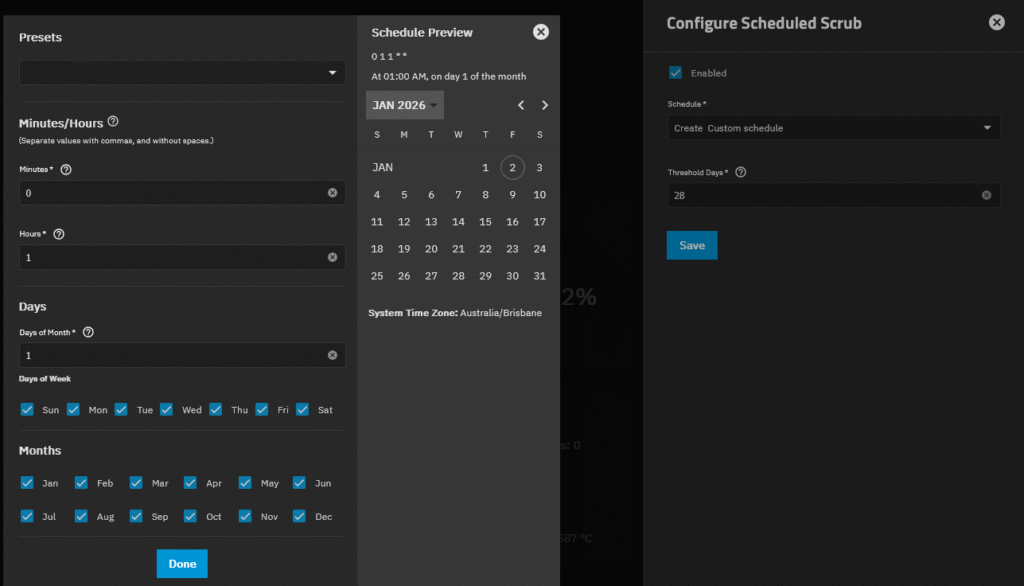
Setup a scheduled scrub to commence the first day of every month.
I navigated to Storage > Storage Health > Configure > Schedule > Create Custom schedule and set it as the image below.
Sata Power Saving
I will need to check if sata power saving is disabled or set to minimal.
This is done in the BIOS.
Snapshots
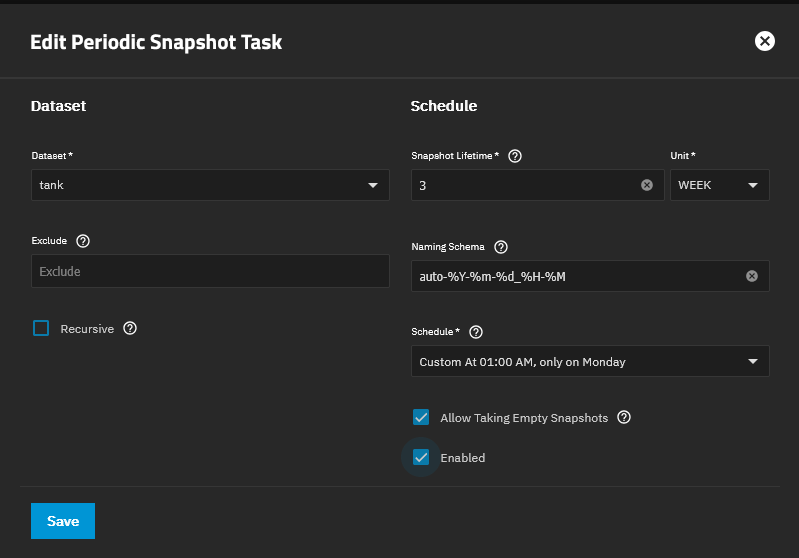
I want to have snapshots every week and always keep the last three just incase I need to restore an dataset “tank” data.
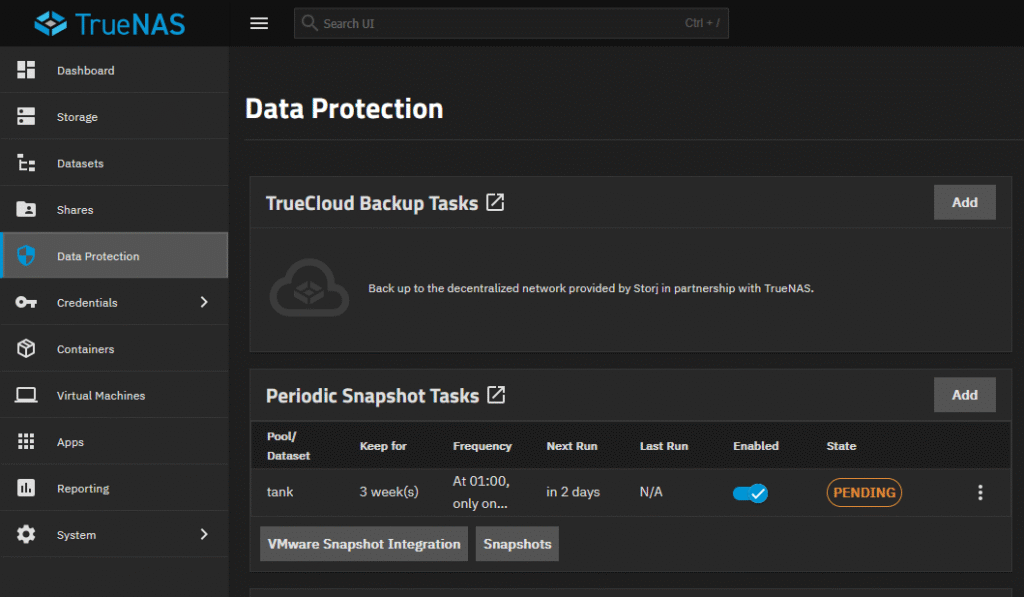
Navigate to Data Protection > Periodic Snapshot Tasks > Add or the three dots and edit an already existing task .